What Is Efficiency Rating? A Guide for PC Power Supplies Buyers (2026)
As an Amazon Associate we earn from qualifying purchases. Links on this page are affiliate links.
Understanding Efficiency Rating Explained
An efficiency rating measures how much input power a unit converts into usable output for your PC components. The rest is lost as heat. Higher efficiency means less wasted energy and lower electricity bills. It also reduces internal heat, which helps your power supply run quieter and last longer.
The 80 Plus certification is the standard label you see on listings. It tests a power supply at 20%, 50%, and 100% load. To earn the basic Bronze badge, the unit must be at least 80% efficient at all three load levels. Gold requires 87% at 20%, 90% at 50%, and 87% at 100%. Platinum demands even higher numbers: 90%, 92%, and 89% respectively.
Why does this matter to you? If you run a high-end gaming rig or a workstation that stays on for many hours, efficiency rating explained shows you where your money goes. A Gold or Platinum unit wastes less power. This is crucial for systems with high total wattage needs. You pay for every watt drawn from the wall. Better efficiency lowers that draw.
Heat management is the other big factor. Less waste heat means less strain on the internal components. It also reduces the fan workload. Many efficient units use zero-RPM modes more often, keeping your build silent during light tasks. For home labs or servers that run 24/7, the energy savings add up quickly over months and years.
You should check the specific 80 Plus tier before buying. Do not assume all units are equal. A Gold unit is significantly better than Bronze at mid-range loads, which is where most PCs operate. Platinum is ideal for enthusiasts who want maximum performance and minimal heat. Always verify the certification label on the product page. It is a clear indicator of quality and operational cost.
Efficiency Rating Options Compared
80 Plus Platinum
This is the highest standard listed here, offering exceptional power conversion. You get very little energy lost as heat, which keeps your system cool and quiet. It suits enthusiasts building high-end gaming rigs or workstations that run under heavy loads for long periods. The trade-off is that these units cost more upfront. You pay for the extra efficiency and often longer warranties. For example, the ASUS ROG Thor 1200W Platinum II delivers massive power with top-tier efficiency. It is ideal if you want maximum performance and silent operation. The EVGA Supernova 1000 P2 Platinum is another option for high-wattage needs. It provides stable power delivery for demanding components. You choose this rating if energy savings and peak performance justify the higher initial price.
80 Plus Gold
This rating strikes a strong balance between performance and cost. You get high efficiency that reduces heat and electricity usage without the premium price of Platinum. It suits most standard gaming builds and mid-range workstations. The modularity and modern connector support often found in Gold units make cable management easier. For instance, the MSI MAG 850W Fully Modular ATX Power Supply offers solid Gold efficiency with a long warranty. It fits users who prioritize modularity over peak ratings. The Corsair RM850x Shift also provides Gold efficiency with ATX 3.1 support. It is a practical choice for builders who want future-proof PCIe standards. You get reliable power delivery and good energy savings. This rating is the sweet spot for many PC builders who want quality without overspending on marginal efficiency gains.
80 Plus Bronze
This is the entry-level efficiency standard listed here. It offers adequate power conversion for most everyday tasks. You save some energy compared to non-certified units, but you lose more power to heat than Gold or Platinum models. It suits budget-conscious builders who prioritize component reliability and cost savings over peak efficiency. The Corsair CX-M Modular Power Supply is a practical choice for standard builds under 750W. It helps with cable management while keeping costs down. The EVGA SuperNOVA 750W Bronze also offers solid reliability for gamers. You get dependable power that balances cost and performance well. This rating is ideal if you want a functional system without spending extra on higher efficiency. You accept slightly higher heat output and electricity usage in exchange for a lower upfront price.
Who Needs High Efficiency Ratings
Who needs it
You should prioritize an 80 Plus Platinum or Gold unit if your PC runs for many hours daily. High efficiency means less heat generation, which reduces fan noise and improves component longevity. This is critical for workstations handling heavy rendering, video editing, or continuous 3D modeling. It also matters for gaming rigs where sustained loads are common. If you care about lower electricity bills over time, the reduced waste translates directly to savings. Enthusiasts building high-end systems benefit from the stable power delivery often paired with higher ratings. If your build is always on, or you value a quiet, cool environment, these ratings justify the choice. The extra cost pays back in reduced energy use and better thermal management. For users who leave their machines running overnight or use them for professional tasks, this spec is a practical investment in reliability and efficiency.
Who can skip it
You can ignore high efficiency ratings if your PC is a casual desktop used only for web browsing, office work, or light media consumption. These tasks draw minimal power, so the difference between Bronze and Platinum is negligible in daily use. If your system sits idle most of the day, energy waste is low regardless of the rating. In these cases, prioritize reliability, warranty length, and cable management instead. Focus on finding a unit from a reputable manufacturer with good protection circuits. A Bronze-rated unit often suffices for basic builds. Do not overpay for Platinum features you will not utilize. Instead, ensure the wattage matches your components accurately. Avoid oversizing, as that wastes money. Simple tasks do not require complex power solutions. Stick to the basics and save your budget for better storage or memory. Efficiency matters less when power draw is consistently low and usage is intermittent.
PSU Efficiency Glossary
80 Plus Certification
An industry standard verifying a power supply converts at least 80% of AC input to DC output. Ratings range from White to Titanium, indicating higher efficiency levels.
Form Factor
The physical dimensions and shape of the power supply. ATX is standard for most PCs, while SFX suits compact builds. Size determines compatibility with your computer case.
Modularity
Whether cables are detachable. Fully modular units let you connect only needed cables, improving airflow and reducing clutter inside your case. Semi-modular offers a middle ground.
Waveform
The shape of the electrical current delivered to components. A clean sine wave ensures stable power. Most PC supplies provide modified square waves suitable for standard electronics.
ATX Version
The revision of the Advanced Technology Extended specification. Newer versions like ATX 3.0 support modern GPUs and higher power demands. Check compatibility with your motherboard.
Voltage Regulation
The ability to maintain steady voltage levels under varying loads. Good regulation prevents system crashes and hardware damage. It ensures your CPU and GPU receive consistent power.
PCIe Version
The standard for graphics card power connectors. PCIe 5.0 supports newer high-end GPUs with 12VHPWR cables. Older units may require adapters for modern graphics hardware.
Topology
The internal circuit design, such as LLC or Resonant. Topology affects efficiency, ripple, and cost. It determines how the power supply manages energy conversion internally.
Quick picks
| # | Product | Best for | Price |
|---|---|---|---|
| 1 | MSI MAG 850W Fully Modular ATX Power Supply | Standard gaming builds needing modularity | Check price of MSI MAG 850W Fully Modular ATX Power Supply on Amazon |
| 2 | Corsair CX-M Modular Power Supply | Budget modular builds under 750W | Check price of Corsair CX-M Modular Power Supply on Amazon |
| 3 | ASUS ROG Thor 1200W Platinum II | High-end gaming and workstation builds | Check price of ASUS ROG Thor 1200W Platinum II on Amazon |
| 4 | Corsair RM850x Shift 850W White ATX Power Supply | ATX 3.1 builds needing clean cable management | Check price of Corsair RM850x Shift 850W White ATX Power Supply on Amazon |
| 5 | EVGA SuperNOVA 750W Bronze Power Supply | Budget-conscious gamers needing reliable 750W power | Check price of EVGA SuperNOVA 750W Bronze Power Supply on Amazon |
| 6 | EVGA Supernova 1000 P2 Platinum Power Supply | High-wattage, high-efficiency builds | Check price of EVGA Supernova 1000 P2 Platinum Power Supply on Amazon |
Our 6 picks

MSI MAG 850W Fully Modular ATX Power Supply
Best for: Standard gaming builds needing modularity
- Efficiency Rating
- 80 Plus Gold (what this guide is about)
- Wattage
- 850W
- Modularity
- Fully Modular
- ATX Version
- ATX 3.1
- PCIe Connector Type
- 12V-2x6
- Warranty
- 10 Year
View on Amazon: MSI MAG 850W Fully Modular ATX Power Supply Affiliate link
The MSI MAG A850GL is a fully modular 850W power supply rated for 80 Plus Gold efficiency. It supports ATX 3.1 and PCIe 5.1 standards with a 12V-2x6 connector. The unit measures 12 by 8.75 by 4.92 inches. It includes a 10-year warranty. This model suits gamers needing reliable power for modern components.
Pros
- 80 Plus Gold efficiency rating
- 10-year warranty coverage
- Fully modular cable design
- ATX 3.1 and PCIe 5.1 support
Cons
- 80 Plus Gold rating is lower than Platinum options on this list
- 12-inch length may not fit smaller cases
- No app or software control mentioned
Good fit if
- You need a fully modular unit for a gaming PC
- You want a 10-year warranty for long-term reliability
- You are building with ATX 3.1 compatible components
Skip if
- You require 80 Plus Platinum efficiency
- You have a small form factor case with limited depth
- You need software monitoring capabilities
Verdict: MSI MAG A850GL 850W Gold offers solid Gold efficiency and a long warranty for standard gaming builds. It fits users prioritizing modularity and modern connector support over peak efficiency ratings.

Corsair CX-M Modular Power Supply
Best for: Budget modular builds under 750W
- Efficiency Rating
- 80 Plus Bronze (what this guide is about)
- Modularity
- Modular
View on Amazon: Corsair CX-M Modular Power Supply Affiliate link
The Corsair CX750M is a modular power supply with 80 Plus Bronze efficiency. It delivers 750 watts of power for your system. This unit suits builders who want reliable performance without the cost of higher efficiency tiers. The modular design helps you manage cables in your case. It is a solid option for standard gaming or office PCs that do not require extreme power loads.
Pros
- 80 Plus Bronze efficiency rating
- Fully modular cable design
- 750W power output capacity
Cons
- Lower efficiency than Platinum or Gold options on this list
- Renewed condition may have variable cosmetic wear
- Bronze rating limits power savings under light loads
Good fit if
- You are building a budget-conscious PC
- You want modular cables for cleaner builds
- Your system draws under 750 watts
Skip if
- You need maximum energy efficiency
- You plan to overclock heavily
- You prefer brand-new units with full warranty
Verdict: Corsair CX750M 80 Plus Bronze PSU fits users who prioritize cable management and moderate power needs over top-tier efficiency. It is a practical choice for standard builds where cost savings matter more than peak performance.
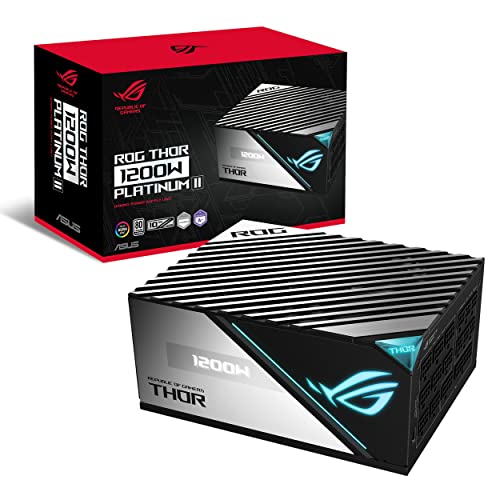
ASUS ROG Thor 1200W Platinum II
Best for: High-end gaming and workstation builds
- Efficiency Rating
- 80 Plus Platinum (what this guide is about)
- Wattage
- 1200W
- Fan Size
- 135mm
- Warranty
- 10 Year
- Dimensions
- 7.4 × 5.9 × 3.3 inches
- Weight
- 11 pounds
View on Amazon: ASUS ROG Thor 1200W Platinum II Affiliate link
The ASUS ROG Thor 1200W Platinum II delivers high-end power with an 80 Plus Platinum efficiency rating. It features a 135mm PWM fan with 0dB mode for silent operation at low loads. The unit measures 7.4 by 5.9 by 3.3 inches and weighs 11 pounds. It includes a 10-year warranty. This power supply suits users needing maximum wattage and top-tier efficiency for demanding systems.
Pros
- 1200W output capacity
- 80 Plus Platinum efficiency
- 10-year warranty
- 135mm PWM fan with 0dB mode
Cons
- 11-pound weight is heavy for a PSU
- No app or display mentioned in specs
- Premium price tier implied by Platinum rating
Good fit if
- You need 1200W for extreme builds
- You prioritize 80 Plus Platinum efficiency
- You want a 10-year warranty
Skip if
- You need a compact SFX form factor
- You are on a tight budget
- You prefer lower wattage options
Verdict: ASUS ROG Thor 1200W Platinum PSU is ideal for enthusiasts building high-end PCs who need maximum power and efficiency. It fits users who value long-term warranty coverage and silent operation under light loads.

Corsair RM850x Shift 850W White ATX Power Supply
Best for: ATX 3.1 builds needing clean cable management
- Efficiency Rating
- 80 Plus Gold (what this guide is about)
- Wattage
- 850W
- Modularity
- Fully Modular
- ATX Version
- ATX 3.1
- PCIe Connector Type
- PCIe 5.1
- Dimensions
- 6.3 × 5.91 × 3.39 inches
View on Amazon: Corsair RM850x Shift 850W White ATX Power Supply Affiliate link
This Corsair unit delivers 850W with an 80 Plus Gold efficiency rating. It supports ATX 3.1 and PCIe 5.1 standards for modern hardware. The fully modular design and side-facing connectors allow for cleaner cable management. Its compact dimensions help fit into smaller cases. You should choose this if you need reliable power for high-end components without the premium cost of Platinum certification.
Pros
- 80 Plus Gold efficiency rating
- ATX 3.1 and PCIe 5.1 support
- Fully modular cable design
- Compact 5.91-inch length
Cons
- Lower efficiency than Platinum models on this list
- Heavier build at 3.75 pounds
- No app control or monitoring features listed
Good fit if
- You want high efficiency without Platinum pricing
- You need PCIe 5.1 support for new GPUs
- You prefer fully modular cables for clean builds
Skip if
- You require 80 Plus Platinum efficiency
- You need app-based power monitoring
- You want the lightest possible power supply
Verdict: Corsair RM850x Shift ATX 3.1 offers solid 80 Plus Gold efficiency and modern connectivity for users building with ATX 3.1 systems. It suits builders who prioritize cable management and future-proof PCIe standards over maximum efficiency ratings.

EVGA SuperNOVA 750W Bronze Power Supply
Best for: Budget-conscious gamers needing reliable 750W power
- Efficiency Rating
- 80 Plus Bronze (what this guide is about)
- Wattage
- 750W
- Modularity
- Hybrid Modular
- Dimensions
- 7.1 × 5.9 × 3.4 inches
- Weight
- 7 pounds
View on Amazon: EVGA SuperNOVA 750W Bronze Power Supply Affiliate link
The EVGA SuperNOVA NEX750B is a 750W power supply with 80 Plus Bronze certification. It reaches up to 85% efficiency under typical loads. The unit uses Japanese capacitors for reliability and features a hybrid modular design. You get a quiet 2-ball bearing fan and multi-rail protection. It fits users who want solid performance without the cost of higher efficiency tiers.
Pros
- 80 Plus Bronze certification with up to 85% efficiency
- 750W output capacity for mid-to-high end builds
- Hybrid modular design reduces cable clutter
- Japanese brand capacitors for long-term reliability
Cons
- 80 Plus Bronze rating is lower than Gold or Platinum options
- Hybrid modularity means the 24-pin ATX cable is always connected
- Heavier build at 7 pounds compared to some compact units
Good fit if
- You want reliable power without paying for Platinum efficiency
- You prefer Japanese capacitors for component longevity
- You need 750W for a high-end gaming PC
Skip if
- You require full modularity for clean cable management
- You need maximum efficiency for low power consumption
- You are building a high-end system needing 1000W or more
Verdict: The EVGA SuperNOVA NEX750B 750W Bronze offers solid reliability and adequate efficiency for most gamers. It suits buyers who prioritize component quality over peak energy savings. You get a dependable unit that balances cost and performance well.
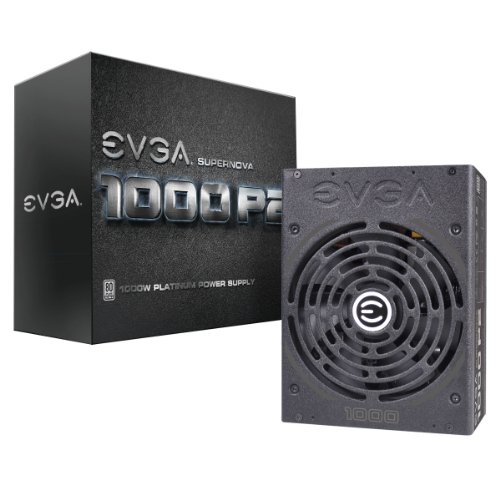
EVGA Supernova 1000 P2 Platinum Power Supply
Best for: High-wattage, high-efficiency builds
- Efficiency Rating
- 80 Plus Platinum (what this guide is about)
- Wattage
- 1000W
- Modularity
- Fully Modular
- Fan Size
- 140mm
- Warranty
- 10 Year
- Dimensions
- 7.8 × 6 × 3.3 inches
View on Amazon: EVGA Supernova 1000 P2 Platinum Power Supply Affiliate link
The EVGA Supernova 1000 P2 delivers 1000W of power with 80 Plus Platinum efficiency. It uses fully modular cabling and a 140mm double ball bearing fan. Japanese capacitors support long-term reliability. This unit suits builders needing high wattage and top-tier efficiency for demanding systems.
Pros
- 80 Plus Platinum certification for high efficiency
- 1000W output capacity
- Fully modular cable design
- 140mm double ball bearing fan
- 10-year warranty coverage
Cons
- Larger physical dimensions than compact models
- Heavier build at 4.41 pounds
- No smart monitoring features listed
Good fit if
- You need 1000W for high-end GPUs
- You prioritize 80 Plus Platinum efficiency
- You want fully modular cabling
Skip if
- You require a compact SFX form factor
- You need under 750W capacity
- You want smart digital monitoring
Verdict: EVGA Supernova 1000 P2 1000W is a high-capacity, high-efficiency choice for enthusiasts building powerful workstations or gaming rigs that demand stable power delivery.
Specifications side by side
| Spec | MSI MAG 850W Fully Modular ATX Power Supply | Corsair CX-M Modular Power Supply | ASUS ROG Thor 1200W Platinum II | Corsair RM850x Shift 850W White ATX Power Supply | EVGA SuperNOVA 750W Bronze Power Supply | EVGA Supernova 1000 P2 Platinum Power Supply |
|---|---|---|---|---|---|---|
| Wattage | 850W | not stated | 1200W | 850W | 750W | 1000W |
| Efficiency Rating | 80+ Gold | 80 Plus Bronze | 80+ Platinum | 80 Plus Gold | 80PLUS Bronze | 80 PLUS Platinum |
| Modularity | Fully Modular | Modular | not stated | Fully Modular | Hybrid Modular | Fully Modular |
| ATX Version | ATX 3.1 | not stated | not stated | ATX 3.1 | not stated | not stated |
| PCIe Connector Type | 12V-2x6 | not stated | not stated | PCIe 5.1 | not stated | not stated |
| Fan Size | not stated | not stated | 135mm | not stated | not stated | 140mm |
| Warranty | 10 Year | not stated | 10 Year | not stated | not stated | 10 Year |
| Form Factor | ATX | not stated | not stated | ATX | not stated | not stated |
| PCIe Version | PCIe 5.1 | not stated | not stated | PCIe 5.1 | not stated | not stated |
| Recommended Use | Gaming | not stated | not stated | not stated | not stated | not stated |
| Connector | 12V-2x6 Connector | not stated | not stated | not stated | not stated | not stated |
| Size | 850W (PCIE 5) | not stated | not stated | 850W | not stated | 1000W |
| Dimensions | 12 × 8.75 × 4.92 inches | not stated | 7.4 × 5.9 × 3.3 inches | 6.3 × 5.91 × 3.39 inches | 7.1 × 5.9 × 3.4 inches | 7.8 × 6 × 3.3 inches |
| Weight | not stated | not stated | 11 pounds | 3.75 pounds | 7 pounds | 4.41 pounds |
| Color | not stated | not stated | BLACK | White | Black | not stated |
| Model | not stated | not stated | not stated | not stated | 120-PB-0750-KR | 220-P2-1000-XR |
Frequently asked questions
Does a higher efficiency rating mean more power for my PC?
No. Efficiency rating measures how much input electricity converts to usable output, not the total wattage. A Platinum unit is more efficient than a Gold one, but both can provide the same 850W of power. You must check the wattage spec separately to ensure your components receive enough energy, regardless of the efficiency tier.
Is 80 Plus Gold enough for a high-end gaming PC?
Yes. Gold efficiency offers a strong balance of performance and cost. The MSI MAG 850W and Corsair RM850x Shift both deliver Gold ratings with modern ATX 3.1 support. These units provide solid power conversion for gaming rigs without the premium price often associated with Platinum ratings. They suit builders prioritizing modern connectivity and reliable power delivery.
Why choose Platinum over Gold for a workstation?
Platinum ratings minimize energy waste, reducing heat and fan noise during long workloads. The ASUS ROG Thor 1200W and EVGA Supernova 1000 P2 offer Platinum efficiency for high-end builds. These units are ideal for workstations running heavy rendering or compute tasks. The lower heat generation helps maintain stable performance and extends component life under sustained loads.
Can a Bronze PSU handle a powerful gaming build?
It depends on your budget and usage. Bronze units like the Corsair CX-M and EVGA SuperNOVA 750W provide adequate efficiency for standard builds. They are practical choices if you prioritize cable management and moderate power needs over peak energy savings. However, they generate more heat than Gold or Platinum units, which may increase fan noise.
Does efficiency rating affect physical size?
Not directly, but higher efficiency designs often allow for more compact components. The Corsair RM850x Shift is a compact ATX unit with Gold efficiency. In contrast, high-wattage Platinum units like the ASUS ROG Thor 1200W may have different dimensions. You should always check the width, height, and length specs to ensure the PSU fits your case.
What is the difference between Gold and Platinum efficiency?
The difference lies in power conversion percentages. Platinum units convert more AC input to DC output with less heat loss than Gold units. The ASUS ROG Thor 1200W and EVGA Supernova 1000 P2 are Platinum examples. Gold units, like the MSI MAG 850W, offer slightly lower efficiency but often better value. Choose Platinum for maximum efficiency and Gold for balanced performance.